SEO can feel like a puzzle. So many pieces. So many rules. And just when you think you understand it, Google changes something. That is where schema markup software comes in. Tools like a JSON-LD generator make structured data simple. No coding degree required. Just clear steps and helpful automation.
TLDR: Schema markup helps search engines understand your website better. JSON-LD generators make creating schema fast and easy, even for beginners. These tools reduce errors, save time, and boost your chances of getting rich results in Google. If you want better visibility without technical headaches, schema software is your friend.
- What Is Schema Markup?
- Why JSON-LD?
- What Is a Schema Markup Generator?
- Why Use Schema Markup Software?
- Common Types of Schema You Can Generate
- Features to Look For in Schema Markup Software
- Comparison of Popular Schema Markup Tools
- How Schema Improves SEO
- Common Mistakes to Avoid
- Where to Add JSON-LD Code
- Schema for Small Businesses vs. Large Sites
- Automation Makes Life Easier
- Is It Worth It?
- The Future of Structured Data
- Final Thoughts
What Is Schema Markup?
Schema markup is a special kind of code. It tells search engines what your content means. Not just what it says.
For example:
- A number could be just a number.
- Or it could be a price.
- Or a rating.
- Or a date for an event.
Schema removes the guessing game.
It helps search engines display rich results, such as:
- Star ratings
- Product prices
- Recipe cooking times
- Event dates
- FAQ dropdowns
These extra details make your listing stand out. And when you stand out, more people click.
Image not found in postmetaWhy JSON-LD?
There are different ways to add schema. But Google prefers JSON-LD.
Why?
- It is clean.
- It does not break your design.
- It sits inside a simple script tag.
- It is easier to maintain.
JSON-LD stands for JavaScript Object Notation for Linked Data. Sounds scary. It is not.
It is basically a simple text format. Machines love it. Humans can learn it. But writing it manually takes time. And mistakes happen.
That is where a JSON-LD generator saves the day.
What Is a Schema Markup Generator?
A schema generator is software that builds structured data for you. You fill in a form. It creates the code.
No complicated syntax. No missing commas. No broken brackets.
Most tools follow this simple process:
- Select schema type. (Product, Article, Event, etc.)
- Fill in fields. (Title, description, price, rating.)
- Click generate.
- Copy and paste the code.
That is it.
Why Use Schema Markup Software?
You could write structured data by hand. But ask yourself:
- Do you enjoy debugging code?
- Do you have time to test every page?
- Do you want to risk syntax errors?
Probably not.
Here is what schema software simplifies:
1. Saves Time
Manual coding can take 20–30 minutes per page. A generator can do it in under 5.
2. Reduces Errors
One missing quotation mark can break schema. Generators prevent that.
3. Keeps Up With Updates
Schema guidelines change. Good software updates templates automatically.
4. Offers Built-in Validation
Many tools integrate testing. You see warnings before Google does.
5. Makes SEO Accessible
You do not need to be a developer. Marketers can use it. Bloggers can use it. Store owners can use it.

Common Types of Schema You Can Generate
Most JSON-LD generators support many formats. Here are popular ones:
Product Schema
- Name
- Image
- Description
- Price
- Availability
- Ratings
Perfect for eCommerce sites.
Article Schema
- Headline
- Author
- Publish date
- Featured image
Great for blogs and news websites.
FAQ Schema
- Questions
- Answers
Adds dropdown answers directly in search results.
Local Business Schema
- Business name
- Address
- Opening hours
- Phone number
Helps with local SEO.
Event Schema
- Date
- Location
- Ticket price
Essential for conferences and concerts.
Features to Look For in Schema Markup Software
Not all tools are equal. Look for these features:
- Easy interface
- Multiple schema types
- Real-time preview
- Error validation
- Export options
- CMS integration
Bonus points if it explains each field in plain language.
Comparison of Popular Schema Markup Tools
| Tool | Ease of Use | Schema Types | Validation | Best For |
|---|---|---|---|---|
| Technical SEO Generators | Medium | Wide variety | Manual testing required | SEO professionals |
| Plugin Based WordPress Tools | Easy | Common types | Built in | Bloggers |
| Dedicated SaaS Schema Platforms | Very easy | Extensive library | Advanced validation | Agencies and stores |
| Custom Developer Tools | Advanced | Unlimited | Manual | Developers |
Choose based on your skill level. And your website size.
How Schema Improves SEO
Important truth: Schema is not a direct ranking factor.
But it still helps.
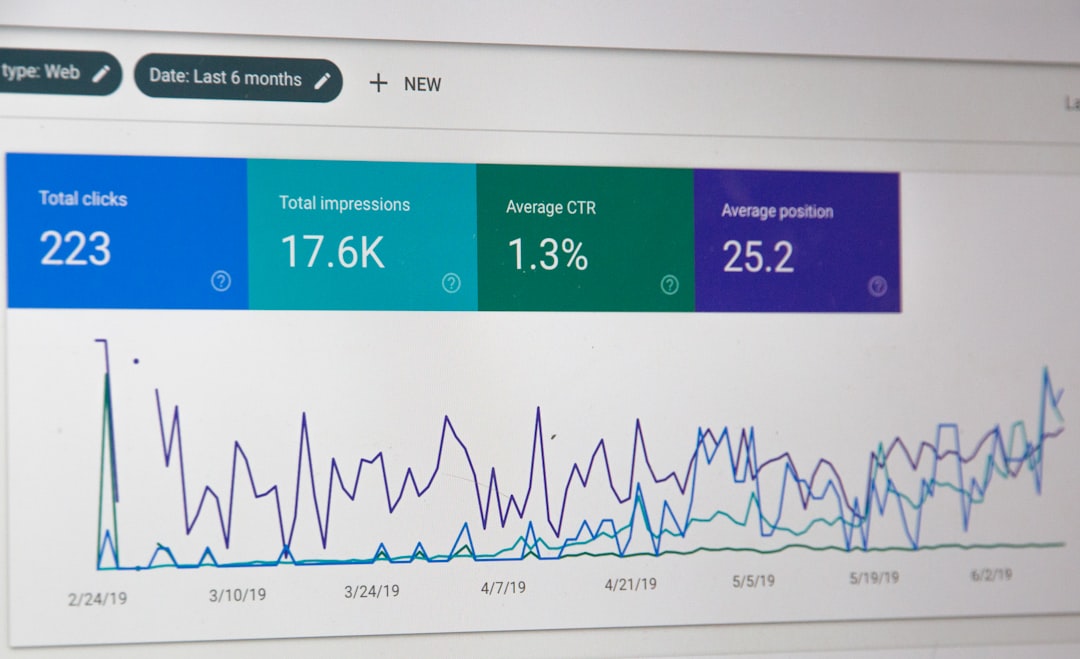
Higher Click-Through Rates
Rich results grab attention. More clicks send positive signals.
Better Understanding
Search engines understand your content faster and more clearly.
Voice Search Readiness
Structured data helps power voice results.
Featured Snippets Support
FAQ and How-To schema increase snippet opportunities.
Common Mistakes to Avoid
Even with software, mistakes happen.
- Adding schema that does not match visible content
- Marking up fake reviews
- Using wrong schema type
- Forgetting to update prices or details
Google does not like misleading markup. Always stay honest.
Where to Add JSON-LD Code
You usually place JSON-LD inside the <head> section of your HTML.
Many platforms make it easier:
- WordPress plugins
- Shopify custom fields
- Website header injection tools
- Tag management systems
After adding it, test it using a structured data testing tool. Fix warnings. Then publish.
Schema for Small Businesses vs. Large Sites
Small websites can use simple generators. Add basic schema. Focus on products, articles, and local business data.
Large websites may need scalable solutions. Bulk generation. Automation via APIs. Central control dashboards.
The bigger your site, the more automation matters.
Automation Makes Life Easier
Modern schema platforms do more than generate code.
- Auto-update prices
- Sync inventory
- Monitor errors
- Alert you to issues
- Track rich result performance
This turns schema from a “set it and forget it” chore into a smart system.
Is It Worth It?
Yes.
Schema markup software:
- Saves time
- Reduces stress
- Improves search appearance
- Makes SEO less technical
The investment is small. The visibility gain can be big.
The Future of Structured Data
Search engines are becoming smarter. AI is reading context better. But structured data still plays a key role.
It feeds machines clean information.
As search evolves toward:
- AI summaries
- Voice assistants
- Visual search
- Knowledge graphs
Clear structured signals will matter even more.
Final Thoughts
SEO does not have to be confusing. Schema markup software makes one complex part simple.
You do not need to write messy code. You do not need to memorize property names. Just use a clear JSON-LD generator. Fill in your details. Paste the code. Done.
It is one of the easiest technical SEO upgrades you can make.
Small change. Big visual impact. Better search presence.
And in a crowded search results page, standing out is everything.



Leave a Reply