Building a website can feel like building a spaceship with spoons. There are buttons, menus, pages, forms, images, and tiny bits of code everywhere. It can get messy fast. That is where tools like React JS come in. React helps developers build websites that feel fast, smooth, and easy to use.
TLDR: React JS is a popular JavaScript library for building user interfaces. It helps developers create reusable pieces of a website, called components. React is great for apps that change a lot, like dashboards, shops, social feeds, and booking sites. It is beginner-friendly once you understand the basic ideas.
- So, what is React JS?
- Is React a framework?
- What are web frameworks?
- Why do people use React?
- The magic idea: components
- Why components are awesome
- What does React code look like?
- React and state
- React and props
- What is the virtual DOM?
- What can you build with React?
- Why beginners like React
- What should you learn before React?
- React vs plain JavaScript
- React vs other frameworks
- What is Next.js?
- How do you start learning React?
- Common beginner mistakes
- Is React hard?
- Final thoughts
So, what is React JS?
React JS, often called just React, is a tool for building the visual parts of websites and web apps. These visual parts are called the user interface, or UI.
The UI is everything you see and click. Buttons. Menus. Search bars. Product cards. Login forms. Profile pages. All of that is UI.
React was created by Facebook, now Meta. It was first released in 2013. Since then, it has become one of the most popular tools in web development.
React uses JavaScript. JavaScript is the language that makes websites interactive. HTML gives a page structure. CSS makes it pretty. JavaScript makes it move, react, and respond. React makes that JavaScript work easier to manage.
Think of React like a box of LEGO bricks. Each brick is a small piece of the website. You build small pieces first. Then you snap them together to make something bigger.

Is React a framework?
This is a common question. The answer is a little funny.
React is technically a library, not a full framework. But many people still talk about it when they talk about web frameworks.
Why? Because React is often used as the main building tool for an entire web app. It can be combined with other tools to do almost everything a full framework does.
Here is the simple difference:
- A library helps you with one main job.
- A framework gives you a bigger system and more rules.
React mainly helps with building UI. It does that job very well. Other tools can be added for routing, data loading, testing, and page rendering.
For beginners, it is okay to think of React as a major web building tool. The label is less important than the idea.
What are web frameworks?
A web framework is a set of tools that helps developers build websites and web apps faster.
Imagine cooking dinner. You could grow wheat, grind flour, and make pasta from scratch. Or you could use a recipe, a stove, and ready-made noodles. A framework is like the recipe and kitchen tools.
It gives you structure. It gives you patterns. It helps you avoid doing the same boring work again and again.
Popular web frameworks and tools include:
- React for building user interfaces.
- Angular for building large web apps.
- Vue for simple and flexible interfaces.
- Svelte for fast and clean web apps.
- Next.js for React apps with extra powers.
Each one has its own style. React is loved because it is flexible and powerful.
Why do people use React?
React became popular for good reasons. It solves real problems.
Long ago, many websites were simple. You clicked a link. A new page loaded. You clicked another link. Another page loaded. It worked, but it often felt slow.
Modern websites are more alive. They update without refreshing the whole page. A like count changes. A cart total changes. A message appears. A search result updates. React is great at this.
React helps developers build pages that can change quickly and smoothly.
The magic idea: components
The most important idea in React is the component.
A component is a small, reusable piece of the interface. It can be a button. It can be a form. It can be a full navigation bar. It can even be an entire page section.
For example, imagine an online shop. You might have these components:
- Header with the logo and menu.
- SearchBar for finding items.
- ProductCard for each product.
- CartIcon for the shopping cart.
- Footer with links and contact info.
Instead of building every product card from scratch, you build one ProductCard component. Then you reuse it again and again. Nice. Tidy. Less chaos.
Image not found in postmetaWhy components are awesome
Components make life easier. They help developers stay organized.
Here is why they are useful:
- Reusable: Build once. Use many times.
- Organized: Each part has its own job.
- Easy to fix: If one part breaks, you know where to look.
- Easy to test: Small parts are easier to check.
- Team friendly: Different people can work on different parts.
Think of a website like a sandwich. Bread, cheese, tomato, and lettuce are separate parts. If the tomato is bad, you do not throw away the whole sandwich. You replace the tomato. Components work in a similar way.
What does React code look like?
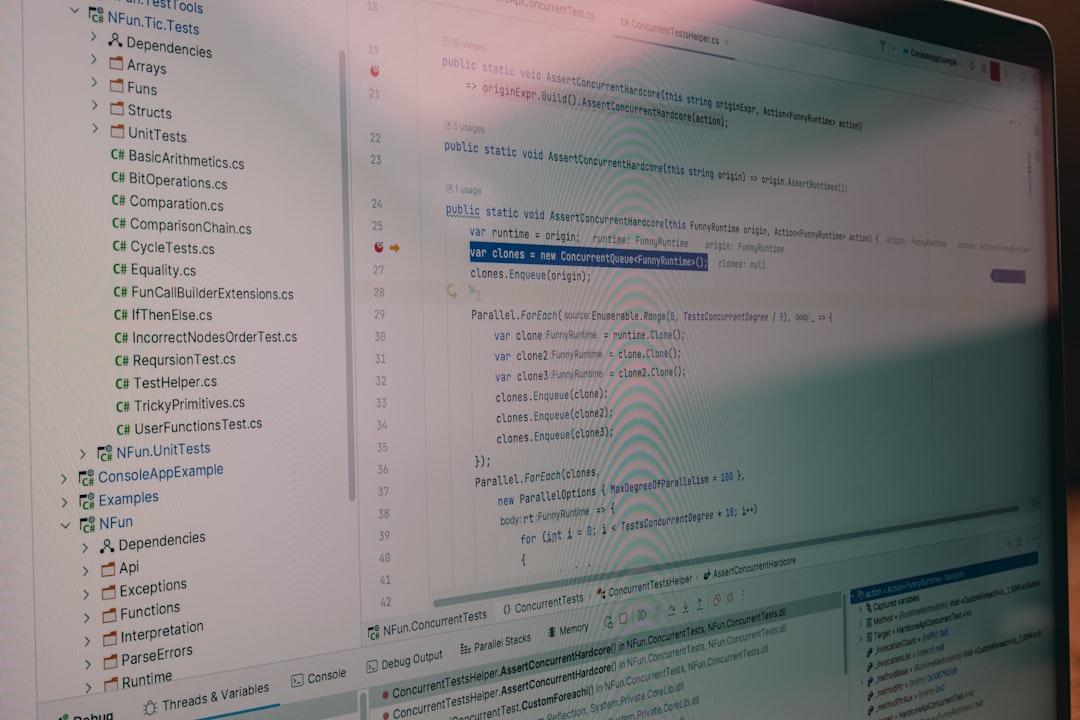
React code often looks like a mix of JavaScript and HTML. This mix is called JSX.
JSX lets you write interface code in a way that feels familiar. It looks like HTML, but it lives inside JavaScript.
Here is a tiny example:
function Welcome() {
  return <h1>Hello, friend!</h1>;
}
This creates a component called Welcome. It returns a heading. Simple, right?
Of course, real React apps can get more complex. But the core idea stays the same. Components return what should appear on the screen.
React and state
Now let us talk about state. Do not worry. It is not as scary as it sounds.
State means information that can change.
For example:
- A counter number.
- A username typed into a form.
- Whether a menu is open or closed.
- Items inside a shopping cart.
- A dark mode setting.
When state changes, React updates the screen. This is one of React’s superpowers.
Imagine a button that says “Likes: 0.” You click it. The number becomes 1. You click again. It becomes 2. React handles that change and updates the display.
Without tools like React, this can become messy. With React, it is much cleaner.
React and props
Another key idea is props. Props are pieces of data passed into a component.
Think of props like instructions given to a waiter.
You say, “I want a pizza with mushrooms.” The kitchen uses that information to make your pizza.
In React, you might have a Button component. You can give it different text through props. One button can say “Buy Now.” Another can say “Learn More.” Same component. Different data.
This makes components flexible. Very flexible. Like yoga, but for code.
What is the virtual DOM?
React also uses something called the virtual DOM.
The DOM is the browser’s map of a web page. It tells the browser what elements are on the page. Changing the real DOM can be slow if done too much.
React creates a lightweight copy of the DOM. That copy is the virtual DOM. When something changes, React compares the new version with the old version. Then it updates only what needs to change.
This helps React feel fast.
You do not need to fully understand the virtual DOM on day one. Just remember this: React is smart about updating the screen.
What can you build with React?
You can build many things with React. It is used for small projects and giant apps.
Here are some examples:
- Personal websites with interactive sections.
- Blogs with search and filters.
- Online stores with carts and product pages.
- Dashboards with charts and data.
- Social apps with posts and comments.
- Booking systems for hotels, flights, or events.
- Learning platforms with lessons and quizzes.
React is also used by many well-known companies. It powers parts of large platforms, tools, and apps around the world.
Why beginners like React
React can feel strange at first. But it has many beginner-friendly points.
- It has many tutorials.
- It has a huge community.
- It teaches useful JavaScript skills.
- It works for small and large projects.
- It has many job opportunities.
If you learn React, you also learn better ways to think about web pages. You start to see pages as pieces. You learn how data moves. You learn how users interact with apps.
That is a big step in becoming a web developer.
What should you learn before React?
You do not need to be a coding wizard. You do need the basics.
Before learning React, try to understand:
- HTML: How to create page structure.
- CSS: How to style pages.
- JavaScript: How to add logic and interactivity.
For JavaScript, focus on:
- Variables.
- Functions.
- Arrays.
- Objects.
- Loops.
- Events.
- Import and export.
You do not need to master everything first. But the basics will help a lot. React is easier when JavaScript does not feel like soup.
React vs plain JavaScript
Can you build websites without React? Yes. Absolutely.
Plain JavaScript is still important. In fact, React is built on JavaScript. You should not skip JavaScript.
But React helps when your app gets bigger. It gives you a better way to organize code. It makes repeated UI patterns easier. It helps handle changes on the screen.
If you are building a tiny page, plain JavaScript may be enough. If you are building an app with many moving parts, React can save your sanity.
React vs other frameworks
React is not the only option. Angular, Vue, and Svelte are also popular.
So why choose React?
- React is popular: There are many guides and jobs.
- React is flexible: You can choose many tools around it.
- React is component-based: This feels clean and modern.
- React has a strong ecosystem: Many libraries work with it.
But React also has challenges.
- There are many choices, which can confuse beginners.
- You may need extra tools for routing and data.
- React changes over time, so learning never fully stops.
That is okay. Web development always changes. The trick is to learn the core ideas. Tools come and go. Good thinking stays.
What is Next.js?
You may hear about Next.js when learning React. Next.js is a framework built on top of React.
React helps build UI. Next.js adds more features. It can help with routing, server rendering, performance, and full website structure.
If React is a powerful engine, Next.js is more like the full car. Seats included. Wheels included. Cup holder too.
Many modern React projects use Next.js. But beginners can start with React first. Learn the basic pieces. Then explore the extra tools.
How do you start learning React?
Start small. Very small.
Do not try to build a giant app on day one. That is like trying to juggle flaming pineapples. Fun to imagine. Bad for your eyebrows.
Try these beginner projects:
- A counter app.
- A to-do list.
- A weather card.
- A simple quiz.
- A movie search page.
- A recipe list.
Each project teaches a small skill. Buttons teach events. Forms teach state. Lists teach arrays. Search teaches filtering. Tiny wins matter.
Common beginner mistakes
Everyone makes mistakes. It is normal. React has a few common traps.
- Trying to learn too much at once: Go step by step.
- Skipping JavaScript basics: This makes React harder.
- Building huge projects too early: Start tiny.
- Copying code without understanding: Pause and ask why.
- Ignoring errors: Error messages are clues, not monsters.
When code breaks, breathe. Read the message. Check spelling. Check brackets. Check imports. Many bugs are tiny gremlins wearing silly hats.
Is React hard?
React is not impossible. It is just new.
At first, JSX may look odd. State may feel strange. Props may sound mysterious. But after a few small projects, the pieces start to click.
The best way to learn React is by building. Not just watching videos. Not just reading articles. Build things. Break things. Fix things. Repeat.
This is how developers grow.
Final thoughts
React JS is a powerful tool for building modern websites and web apps. It helps you create reusable components. It makes changing data easier to manage. It keeps your interface organized.
It is not magic. But it can feel magical when you understand it.
If you are new to web development, React is a great next step after HTML, CSS, and JavaScript. Start small. Keep your code simple. Build tiny projects. Celebrate tiny wins.
Before long, you will stop seeing websites as one big scary blob. You will see them as friendly little pieces. Buttons. Cards. Forms. Lists. Components.
And that is the real React mindset. Break the big thing into small things. Then make those small things work together. Like a team. Or a band. Or a very organized group of ducks.


Leave a Reply