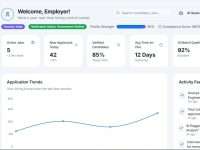
Figma is the safer choice for production design teams, while Google Stitch is stronger for quick AI UI concepts and code-minded prototypes. Stitch works best when a founder, product manager, or developer needs a screen idea fast. Figma works best when a team must refine, share, review, and ship that idea inside a mature design workflow.
TLDR: Google Stitch is useful for generating app screens from prompts and turning rough ideas into editable UI concepts. Figma is better for real design operations, including components, comments, design systems, and handoff. For example, a small startup could use Stitch to generate five mobile onboarding concepts in under an hour, then move the strongest one into Figma for review and polishing. In a 6 person product team, that can cut early concept work by roughly 30% to 50%, but final UI quality still depends on human editing.
Google Stitch vs Figma: the short answer
Google Stitch is an AI UI generation tool built for speed. It can create interface mockups from text prompts and, in some cases, visual references. Its appeal is obvious: describe a travel booking app, a fitness dashboard, or a checkout flow, and it returns usable screens.
Figma is not only an AI generator. It is a full design platform with AI features layered into a professional workflow. Teams use it for wireframes, high fidelity designs, prototypes, design systems, comments, developer handoff, and file management.
The practical view is simple. Stitch helps start the work. Figma helps finish the work.

Where Google Stitch fits best
Google Stitch is a good fit when speed matters more than polish. It suits teams that need first drafts, not perfect production screens. A product manager can ask for a dashboard. A developer can request a responsive landing page layout. A founder can test several app ideas before hiring a designer.
Its biggest strength is idea generation. A blank canvas is annoying. Stitch reduces that blank page problem. It gives teams something to react to, edit, reject, or rebuild.
Best use cases for Google Stitch include:
- Early product exploration
- Fast wireframe variants
- AI generated landing page concepts
- Internal prototypes for pitches or demos
- Developer friendly UI drafts
The catch is that generated UI often looks close, but not quite right. Spacing may feel off. Icons may be generic. Branding can drift. A designer may still spend 20 to 40 minutes cleaning up a screen that looked “done” at first glance.
Where Figma fits best
Figma remains the stronger option for teams that care about consistency. It handles the full design process. AI features can speed up tasks, but the real value comes from its ecosystem: components, variables, auto layout, shared libraries, plugins, comments, branching, and developer tools.
Figma is also easier to defend in a company setting. Stakeholders already know it. Designers trust it. Engineers can inspect files. Product teams can leave comments without creating a mess across screenshots and Slack threads.
Figma is strongest for:
- Design systems and reusable components
- Team collaboration and approvals
- Interactive prototypes
- High fidelity UI design
- Developer handoff
- Long term product maintenance
Honestly, it feels like many AI UI tools still underestimate how much of design is not the first screen. The hard part is the tenth screen, the error state, the empty state, the modal, the tablet layout, and the tiny spacing mismatch that makes a product feel cheap.
AI UI generation quality
Google Stitch often wins on instant output. A rough prompt can produce a surprisingly useful composition. It may suggest layouts, visual hierarchy, and flows that help teams move faster. For brainstorming, that is valuable.
Figma’s advantage is control. Its AI features are helpful, but the platform does not force teams to accept a generated result as the main source of truth. Designers can apply brand rules, adjust components, and keep files organized. That matters once a product grows beyond a few screens.

Code, handoff, and developer value
Google Stitch has a clear appeal for developers because it can connect UI generation with code-oriented thinking. It can help turn an idea into a structure that feels closer to implementation. For small teams, that can save time during the first build.
Figma, though, is still better for handoff at scale. Developers can inspect spacing, colors, typography, assets, and component behavior. Teams can pair Figma with design tokens and front end systems. That makes the final build less random.
If a team has one designer and three engineers, Stitch can help generate options. If a team has five designers and twenty engineers, Figma will usually carry the daily workload better.
Speed vs control
The main tradeoff is simple:
- Google Stitch: faster starts, less control.
- Figma: slower starts, much more control.
A startup building a pitch demo may prefer Stitch. A SaaS company refreshing a live product should prefer Figma. Agencies may use both: Stitch for concepts, Figma for client ready work.
Expect to waste time on cleanup if an AI generated screen is treated as final. Generated interfaces can miss accessibility standards, brand tone, responsive behavior, and edge cases. A design may look slick, yet fail when a user name is 32 characters long or a chart has no data.
Pricing and team fit
Pricing can change, especially with experimental AI products. Still, the buying logic is clear. Stitch is attractive when teams want low friction ideation and AI assisted UI exploration. Figma is easier to justify when design work is central to the business.
Figma also has a larger talent pool. Hiring a designer who knows Figma is easy. Finding a team already trained around newer AI UI tools may be harder. That does not make Stitch weak. It just means adoption may start with individuals before spreading across a company.
Which tool should teams choose?
Choose Google Stitch when the goal is to generate UI ideas quickly, compare several directions, or help non designers express product concepts. It is especially useful before formal design begins.
Choose Figma when the goal is to create reliable, polished, shared product design. It is the better option for teams with brand guidelines, design systems, approval steps, and engineering handoff.
The best workflow may use both. Stitch can create the first spark. Figma can turn that spark into a product interface that survives meetings, QA, and real users.

Final verdict
Google Stitch is one of the more interesting Stitch alternatives for AI UI generation because it focuses on fast visual output. It helps teams move from prompt to screen without staring at an empty file. Figma remains the stronger professional choice because it supports the full design cycle.
For most serious product teams, Stitch should be treated as an idea engine, not a Figma replacement. Figma should remain the main workspace when quality, consistency, and collaboration matter.
FAQ
Is Google Stitch a replacement for Figma?
No. Google Stitch can generate UI concepts quickly, but Figma is better for complete product design workflows, team review, prototypes, and developer handoff.
Which is better for AI UI generation?
Google Stitch is better for fast first drafts. Figma is better when generated ideas need to become polished, consistent, and ready for production.
Can designers use both Google Stitch and Figma?
Yes. A common workflow is to create several UI concepts in Stitch, then rebuild or refine the best option in Figma.
Is Google Stitch good for developers?
Yes, especially for developers who need quick interface ideas or rough layouts before coding. It can reduce early design friction.
Is Figma still worth using with AI tools available?
Yes. AI can speed up parts of design, but Figma still handles collaboration, design systems, file structure, prototyping, and handoff better than most AI first tools.