Interior design has always been a blend of creativity and practicality—but today, it’s powered by technology. Whether you’re rearranging a small apartment or planning a full home renovation, interior design apps now make it possible to turn vague inspiration into accurate, measurable layouts. These tools bridge the gap between imagination and execution, helping users visualize, experiment, and commit with confidence.
TL;DR: Interior design apps transform inspiration photos and ideas into detailed, functional layouts you can actually use. With features like 3D visualization, augmented reality, floor planning, and real product sourcing, they simplify the design process for homeowners and professionals alike. Many apps also allow real-time collaboration and accurate measurements. The result is faster decision-making and fewer costly mistakes.
Gone are the days of guessing whether a sofa will fit or if a color palette will feel cohesive. Today’s design apps combine mood boards, floor planners, 3D modeling, and even augmented reality into a seamless workflow. Let’s explore how these tools work, what makes them so powerful, and which ones stand out.
- From Inspiration Boards to Measurable Plans
- Key Features That Make Design Apps So Powerful
- The Best Interior Design Apps Compared
- How These Apps Reduce Costly Mistakes
- Bringing Realism to Visualization
- Ideal for Professionals and DIY Enthusiasts
- Turning Small Spaces Into Smart Layouts
- Collaboration Made Simple
- Sustainability and Smarter Planning
- The Future of Interior Design Technology
- Final Thoughts
From Inspiration Boards to Measurable Plans
Most design journeys begin with inspiration—Pinterest boards, Instagram saves, magazine clippings. The challenge has always been translating that visual spark into practical layout decisions. Modern apps streamline this transition by allowing you to:
- Upload inspiration images and extract color palettes
- Create interactive digital mood boards
- Convert room dimensions into scaled floor plans
- Drag and drop furniture into accurate layouts
- Visualize lighting, textures, and finishes in 3D
Instead of imagining how a room might look, you can now see it from multiple perspectives—or even walk through it virtually.

Key Features That Make Design Apps So Powerful
While each platform offers unique capabilities, most leading interior design apps share several core features:
1. 2D and 3D Floor Planning
Users can input real room dimensions and instantly generate a scaled layout. Many apps allow you to toggle between 2D top-down views and immersive 3D environments, helping you understand both spatial relationships and visual flow.
2. Augmented Reality (AR) Placement
AR tools allow you to use your smartphone camera to project furniture into your actual space. This eliminates guesswork and helps you judge scale accurately.
3. Product Libraries
Some apps partner with real brands, meaning the sofa or lamp you place in your design can be purchased directly. Dimensions, materials, and pricing are often included.
4. Lighting Simulation
Lighting dramatically impacts interior aesthetics. Advanced apps simulate natural and artificial lighting at different times of day, which is particularly helpful when selecting paint colors.
5. Collaboration Tools
Designers and clients can comment, revise, and approve plans in real time. For DIY users, this means sharing layouts with partners or contractors becomes seamless.
The Best Interior Design Apps Compared
Below is a comparison chart highlighting some of the most popular interior design tools available today:
| App | Best For | Key Features | Skill Level |
|---|---|---|---|
| Planner 5D | DIY home projects | 2D and 3D layouts, large furniture library, AR view | Beginner to Intermediate |
| Roomstyler 3D | Quick room mockups | Drag and drop interface, real brand products | Beginner |
| SketchUp | Professional design work | Advanced 3D modeling, precise measurements | Intermediate to Advanced |
| Homestyler | Photorealistic rendering | High resolution visuals, community templates | Beginner to Intermediate |
| Magicplan | Accurate room measurements | Scan and generate floor plans via camera | All Levels |
How These Apps Reduce Costly Mistakes
Home makeovers can be expensive, and design errors add up quickly. Poor layout planning, incorrect measurements, or mismatched colors often lead to returns and remodels.
Interior design apps minimize these risks by:
- Ensuring accurate spatial measurements
- Testing layouts before purchasing furniture
- Previewing paint colors under simulated lighting
- Checking traffic flow and clearance space
- Generating material lists for budgeting
For example, many professionals recommend at least 36 inches of walkway space in high-traffic areas. A floor planning app helps you verify such clearances automatically.

Bringing Realism to Visualization
One of the biggest shifts in design technology is photorealism. Early tools offered simple block models, but today’s applications can simulate:
- Material textures like velvet, leather, and wood grain
- Reflections and shadows for depth accuracy
- Seasonal lighting changes
- Outdoor views impacting ambiance
This realism is particularly valuable when making long-term investment decisions—such as remodeling a kitchen or choosing custom cabinetry.
Ideal for Professionals and DIY Enthusiasts
You don’t need a degree in interior architecture to benefit from these tools. Most design apps offer tiered features suitable for varying expertise:
For DIY Users
- Simple drag-and-drop interfaces
- Pre-designed room templates
- Style recommendations
For Professionals
- Precise dimension controls
- Exportable construction drawings
- Material takeoffs and documentation
- Client presentation rendering
The scalability makes these apps versatile—ideal for testing décor updates in a rental apartment or managing a full-scale renovation project.
Turning Small Spaces Into Smart Layouts
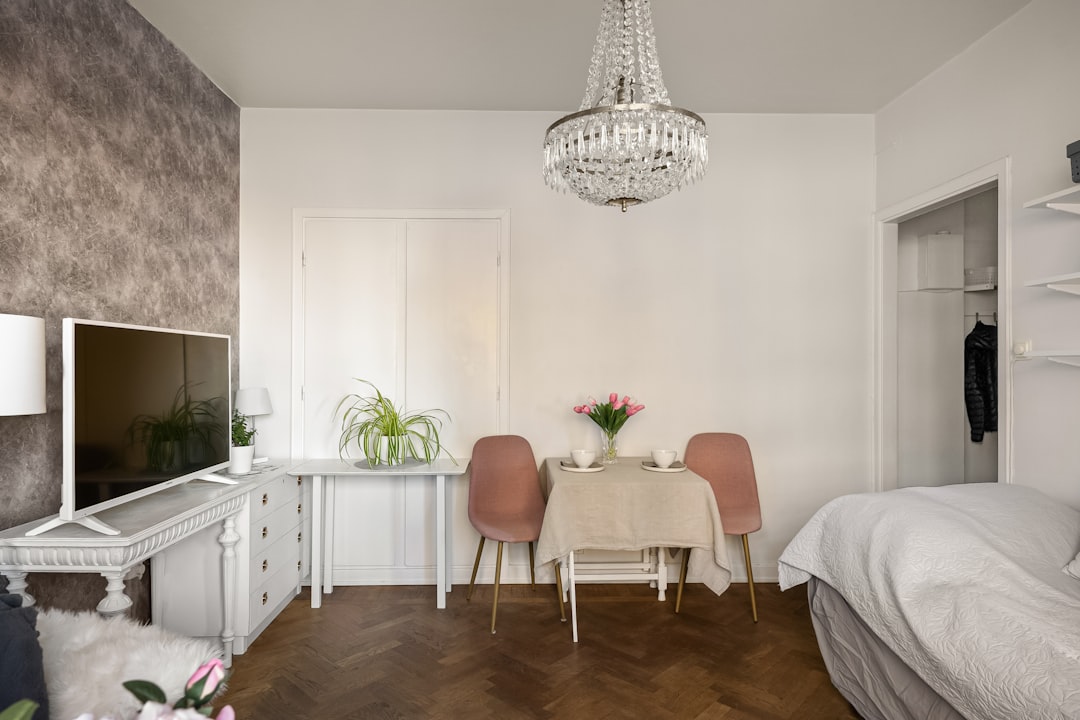
Small apartments and studio living demand clever planning. Interior design apps excel here because they help visualize multifunctional layouts. You can experiment with:
- Foldable or convertible furniture
- Vertical storage configurations
- Partition placements
- Dual-purpose room zoning
By testing arrangements virtually, you avoid physically moving heavy furniture repeatedly. This is especially helpful when optimizing tight corners and unusual floor plans.
Collaboration Made Simple
Another major advantage is cloud-based collaboration. Instead of emailing static PDFs back and forth, users can:
- Share live design links
- Track revision history
- Comment directly on layouts
- Approve selections digitally
This improves communication between designers, clients, contractors, and even family members. Misunderstandings are dramatically reduced when everyone sees the same 3D rendering.
Sustainability and Smarter Planning
Design apps also support more sustainable decision-making. By planning digitally first, fewer materials are wasted during implementation. Some platforms even provide eco-friendly material suggestions and energy efficiency simulations.
For example, users can experiment with window placements or lighting angles to maximize natural daylight, reducing reliance on artificial light sources.
The Future of Interior Design Technology
Technology is moving quickly, and interior design apps are evolving just as fast. Emerging trends include:
- AI-powered layout suggestions based on room dimensions
- Automatic style matching from uploaded images
- Voice-command design modifications
- Virtual reality walkthrough experiences
Artificial intelligence is particularly transformative. Instead of manually arranging every piece of furniture, AI tools can propose optimized layouts within seconds while maintaining aesthetic balance and usability.
Final Thoughts
Interior design apps have fundamentally changed how spaces are imagined and built. They empower everyday homeowners to plan confidently, help professionals present ideas compellingly, and eliminate costly design mistakes. Most importantly, they close the gap between abstract inspiration and executable layout plans.
Whether you’re refreshing a bedroom, redesigning a kitchen, or planning a new build from scratch, these tools make the process more intuitive and enjoyable. Inspiration doesn’t have to remain a dream pinned to a board—it can become a fully realized layout, scaled, rendered, and ready to implement.



Leave a Reply