Construction is not a one-person show. It is a team sport. You have architects, project managers, contractors, subcontractors, and clients. Everyone needs to stay on the same page. When they don’t, mistakes happen. And mistakes on a job site cost serious money.
That’s why the right tools matter. Not just drills and bulldozers. But digital tools. Tools that help teams talk better, plan better, and build better.
TLDR: Modern construction teams work best when they use smart collaboration tools. Project management platforms, cloud storage, communication apps, BIM software, and field reporting tools keep everyone aligned. These tools reduce errors, save time, and improve teamwork. When information flows smoothly, projects run smoothly.
Let’s look at five construction tools that make teamwork easier and a lot less stressful.
1. Project Management Software
This is the brain of your project.
Project management software keeps everything in one place. Tasks. Deadlines. Budgets. Files. Conversations. No more messy email threads. No more guessing who is responsible.
Everyone logs in. Everyone sees the same dashboard.
Why it helps teams collaborate:
- Clear task assignments. Everyone knows what they need to do.
- Shared timelines. Teams see how their work connects.
- Real-time updates. Changes are visible instantly.
- Central communication. No lost messages.
Imagine the electrical team finishes early. They update the system. The plumbing team gets notified. The schedule adjusts automatically. No phone tag. No confusion.

It also creates accountability. You can see who completed a task. And when. That reduces finger-pointing. It builds trust.
In short, project management software turns chaos into clarity.
2. Cloud-Based Document Sharing
Construction projects create mountains of paperwork.
Blueprints. Contracts. Permits. Change orders. Inspection reports.
If these documents live in filing cabinets or on one person’s computer, you have a problem.
Cloud-based document sharing fixes that.
All files are stored online. Securely. Everyone with permission can access them anytime.
Why it helps teams collaborate:
- Single source of truth. No outdated drawings.
- Version control. Always use the latest file.
- Easy sharing. Send a link, not a bulky attachment.
- Access from anywhere. Office or job site.
Picture this. A contractor on-site notices a measurement issue. He pulls up the latest drawing on his tablet. He confirms the update. Problem solved in minutes.
Without cloud access? He calls the office. Waits for an email. Maybe gets the wrong version. Work stalls.
Cloud storage keeps the team moving. Fast and smooth.
3. Team Communication Apps
Construction sites are noisy. Busy. Spread out.
Good communication is not optional. It is survival.
Team communication apps bring all conversations into one organized space. You can create channels for different trades. Or different phases of the project.
No more digging through text messages.
Why it helps teams collaborate:
- Instant messaging. Quick questions get quick answers.
- Group channels. Keep discussions focused.
- File sharing. Send photos or updates instantly.
- Searchable history. Find past decisions easily.
A site manager can snap a photo of an issue. Post it in the app. Tag the right subcontractor. The issue gets handled faster.

These apps reduce endless meetings. They reduce misunderstandings. And they create transparency.
Everyone sees the same message. At the same time.
4. Building Information Modeling (BIM) Software
This one is powerful.
BIM software creates a 3D digital model of the project. But it is more than a pretty picture. It contains detailed information about materials, systems, and structures.
Architects, engineers, and contractors all work within the same model.
That means fewer surprises during construction.
Why it helps teams collaborate:
- Shared visual model. Everyone sees the same design.
- Clash detection. Spot conflicts before building.
- Better planning. Simulate construction phases.
- Improved coordination. Align all trades.
For example, BIM can detect if a pipe runs through a steel beam. That problem gets fixed digitally. Not with a saw on-site.
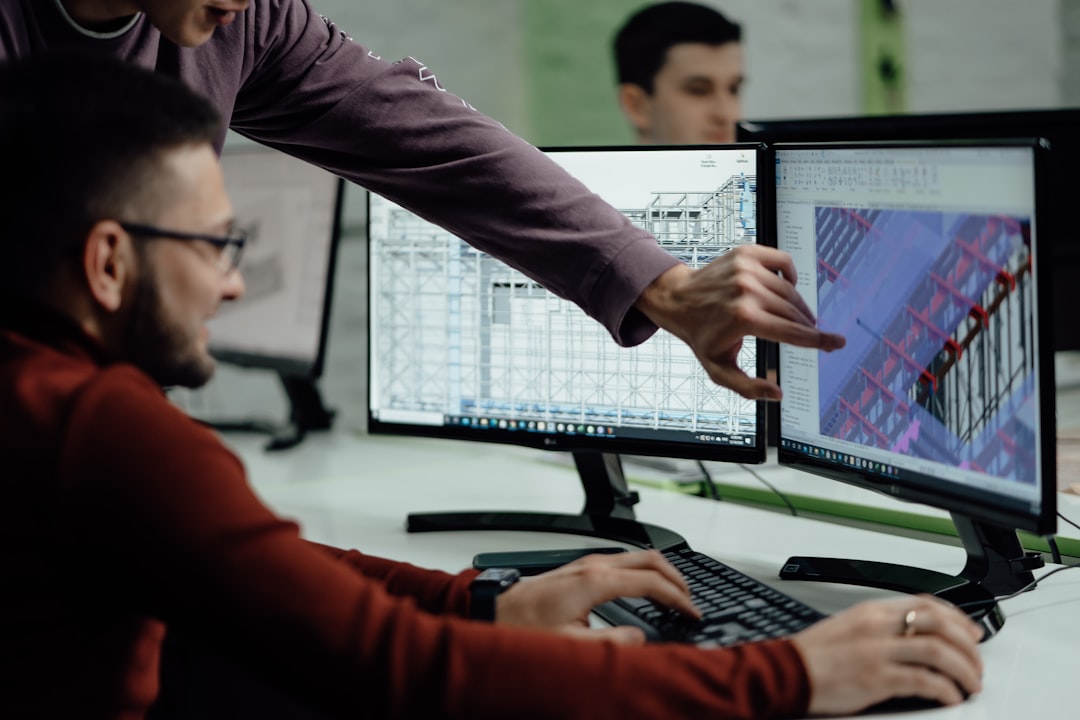
This saves time. It saves money. And it saves headaches.
BIM turns collaboration into something visual and interactive. Not abstract.
5. Field Reporting and Inspection Tools
The job site is where the real action happens.
Field reporting tools allow workers to log updates directly from the site. Using mobile devices.
They can complete checklists. Submit reports. Record safety observations. Even capture signatures.
Why it helps teams collaborate:
- Real-time field data. No delay in reporting.
- Photo documentation. Visual proof of progress.
- Digital checklists. Standardized inspections.
- Faster approvals. Keep the project moving.
A supervisor finishes a safety inspection. Instead of filling out paper forms, he submits a digital report instantly. The project manager sees it right away.
Issues get flagged early. Corrections happen quickly.
Everyone stays informed.
Quick Comparison Chart
| Tool | Main Purpose | Best For | Biggest Collaboration Benefit |
|---|---|---|---|
| Project Management Software | Organize tasks and timelines | Project managers and team leads | Clear responsibilities and deadlines |
| Cloud Document Sharing | Store and share files | All stakeholders | One up-to-date source of truth |
| Communication Apps | Real-time messaging | On-site and remote teams | Fast and transparent communication |
| BIM Software | 3D modeling and planning | Architects and engineers | Early conflict detection |
| Field Reporting Tools | On-site data collection | Supervisors and inspectors | Instant project updates |
How These Tools Work Together
The magic happens when you use these tools together.
Think of them as a connected system.
The BIM model informs the project plan. The project plan lives in the management software. Documents are stored in the cloud. Daily updates flow through communication apps. Field reports feed back into the system.
It becomes one big loop of information.
No silos. No guesswork.
When one team updates something, everyone benefits.
The Real Impact on Team Morale
Here is something people don’t talk about enough.
Good tools reduce stress.
When workers know what to do, they feel confident. When managers have visibility, they feel in control. When communication is clear, conflict drops.
That improves morale.
And happy teams build better projects.
Simple as that.
Final Thoughts
Construction will always be complex. There are too many moving parts for it to be simple.
But collaboration does not have to be messy.
With the right tools, teams can:
- Work from the same information
- Communicate clearly
- Prevent costly mistakes
- Finish projects faster
- Build stronger trust
Technology will not replace skilled workers. It will not pour concrete or install wiring.
But it will connect the people who do.
And when people are connected, great things get built.



Leave a Reply