Building a Minimum Viable Product (MVP) is all about speed, validation, and efficiency. For startups and solo founders, creating a backend from scratch can be time-consuming, expensive, and technically demanding. Fortunately, automatic backend platforms—also known as Backend as a Service (BaaS)—allow teams to launch fully functional applications without managing servers or writing complex backend logic from the ground up. These tools offer ready-made infrastructure for authentication, databases, storage, APIs, and more, enabling rapid development and scalable growth.
TLDR: Automatic backend tools help startups and MVP builders launch applications quickly without managing infrastructure. Platforms like Firebase, Supabase, Backendless, AWS Amplify, and Appwrite provide ready-to-use databases, authentication, storage, and APIs. They significantly reduce development time and costs while allowing teams to focus on user experience and validation. Choosing the right tool depends on scalability, technical expertise, and long-term business goals.
Below are five of the most powerful automatic backend tools for MVPs and startup projects, along with a comparison chart to help teams evaluate their options.
1. Firebase
Firebase, developed by Google, is one of the most popular Backend as a Service platforms available today. It offers a comprehensive suite of tools designed to accelerate development and simplify backend management.

Key Features:
- Real-time NoSQL database (Firestore)
- User authentication (email, social, phone)
- Cloud functions
- Hosting and file storage
- Analytics and crash reporting
Why it’s great for MVPs: Firebase allows developers to set up authentication and a database within minutes. Its real-time synchronization features make it perfect for chat apps, collaboration tools, and live dashboards. Integration with other Google services also provides scalability for growing startups.
Limitations: Costs can increase significantly at scale, and vendor lock-in may be a concern for some founders.
2. Supabase
Supabase is an open-source alternative to Firebase that has gained popularity among developers who prefer relational databases like PostgreSQL.
Key Features:
- PostgreSQL database
- Authentication with row-level security
- Auto-generated REST and GraphQL APIs
- Real-time subscriptions
- Open-source foundation
Why it’s great for MVPs: Supabase combines developer flexibility with powerful database capabilities. Startups building SaaS tools or data-heavy apps often prefer PostgreSQL for its structure and reliability. Supabase also reduces concerns about vendor lock-in since it is open-source.
Limitations: While rapidly evolving, it may lack some enterprise-level maturity compared to Firebase or AWS.
3. Backendless
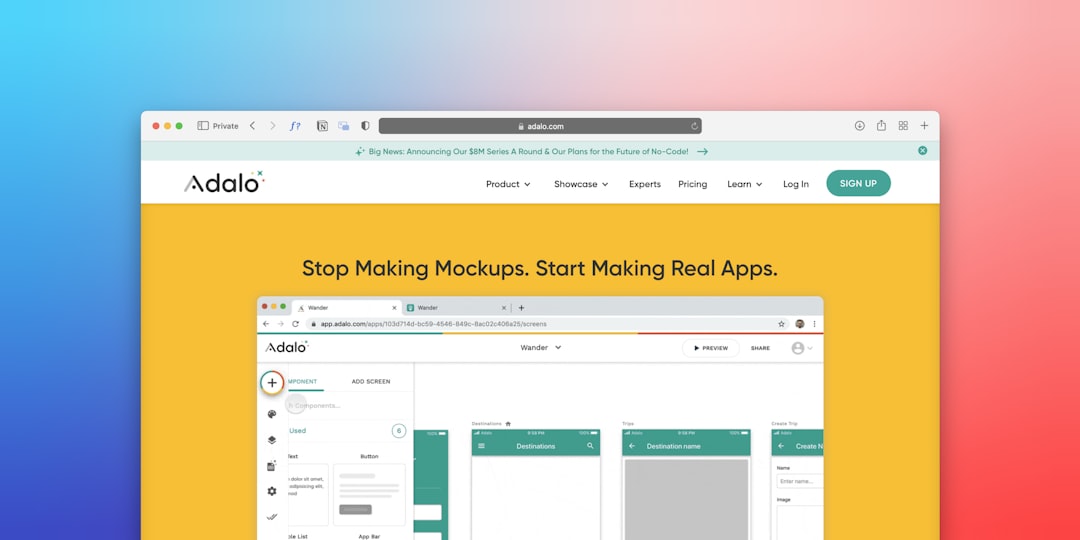
Backendless is a visual app development platform that provides automatic backend generation combined with low-code capabilities.
Key Features:
- Visual database schema builder
- User management
- API services
- Code-free logic builder
- Cloud and self-hosted options
Why it’s great for MVPs: Backendless is particularly useful for non-technical founders or small teams. Its drag-and-drop interface allows users to configure backend logic without deep programming knowledge, significantly speeding up validation.
Limitations: It may not offer as much flexibility for advanced developers seeking deep customization.
4. AWS Amplify
AWS Amplify is Amazon’s answer to simplifying cloud backend deployment. Built on top of AWS infrastructure, it provides scalable backend services with developer-friendly tooling.
Key Features:
- GraphQL and REST APIs
- Authentication via Amazon Cognito
- File storage (S3 integration)
- CI/CD hosting
- Global scalability
Why it’s great for MVPs: Amplify allows startups to tap into Amazon’s powerful cloud ecosystem from day one. This means scalability is nearly unlimited, and startups planning aggressive growth benefit from built-in enterprise-grade infrastructure.
Limitations: AWS services can be complex, and beginners may face a steep learning curve.
5. Appwrite
Appwrite is another open-source backend platform gaining traction for its developer-first approach and self-hosting flexibility.

Key Features:
- Authentication and user management
- Database and file storage
- Serverless functions
- Self-hosted and cloud options
- Strong community support
Why it’s great for MVPs: Appwrite provides full control over backend infrastructure while maintaining ease of use. Startups concerned about data ownership and privacy may prefer hosting their own backend.
Limitations: Requires more setup and DevOps management compared to fully managed platforms.
Comparison Chart
| Tool | Database Type | Open Source | Ease of Use | Scalability | Best For |
|---|---|---|---|---|---|
| Firebase | NoSQL (Firestore) | No | Very High | High | Mobile and real-time apps |
| Supabase | PostgreSQL | Yes | High | High | SaaS and data-driven apps |
| Backendless | Relational / NoSQL | Partial | Very High (Low-Code) | Medium | Non-technical founders |
| AWS Amplify | DynamoDB / Custom | No | Medium | Very High | High-growth startups |
| Appwrite | Flexible | Yes | Medium | High | Teams wanting backend control |
How to Choose the Right Backend Tool
When selecting an automatic backend solution, startups should evaluate their specific needs:
- Technical Expertise: Non-technical teams may prefer low-code solutions like Backendless.
- Scalability Goals: High-growth startups may benefit from AWS Amplify or Firebase.
- Budget: Some tools offer generous free tiers but can become expensive at scale.
- Data Structure Needs: Structured relational data may require PostgreSQL-based solutions like Supabase.
- Control and Ownership: Open-source platforms provide greater flexibility and transparency.
Ultimately, the goal of an MVP is not perfection but validation. Automatic backend tools reduce complexity, allowing founders to focus on user acquisition and product-market fit rather than server maintenance.
Benefits of Using Automatic Backend Tools for Startups
1. Rapid Development: Features like authentication, storage, and APIs work out of the box.
2. Lower Costs: No need for dedicated DevOps teams early on.
3. Built-in Security: Most platforms include predefined security rules and encryption.
4. Flexible Scaling: Start small and upgrade as usage grows.
5. Faster Iteration: Quick backend changes support agile experimentation.
These advantages make automatic backend services almost essential in today’s startup ecosystem. Whether building a marketplace, SaaS platform, or mobile app, backend automation shortens time-to-market dramatically.
Frequently Asked Questions (FAQ)
1. What is an automatic backend for apps?
An automatic backend, or Backend as a Service (BaaS), provides pre-built infrastructure such as databases, authentication, APIs, and storage so developers can build apps without managing servers manually.
2. Are automatic backend platforms suitable for long-term projects?
Yes, many startups begin with BaaS platforms and scale successfully. However, teams should evaluate pricing and flexibility as they grow.
3. Which backend tool is best for non-technical founders?
Backendless is often ideal due to its visual, low-code interface that minimizes the need for advanced programming skills.
4. Is open-source backend better than proprietary options?
Open-source tools like Supabase and Appwrite offer greater customization and data control. Proprietary tools often provide managed convenience and robust support.
5. Can these tools handle scaling to millions of users?
Yes, platforms like Firebase and AWS Amplify are built on enterprise-grade cloud infrastructure and can scale significantly when configured properly.
6. How much do automatic backend tools cost?
Most offer free tiers for MVPs. Pricing typically scales based on usage—database reads, storage, bandwidth, and serverless function executions.
7. Is vendor lock-in a risk?
Vendor lock-in can occur, especially with proprietary services. Startups concerned about this may prefer open-source or migration-friendly options.
By leveraging automatic backend solutions strategically, startups can focus on innovation, customer feedback, and rapid growth—turning ideas into functional products in record time.



Leave a Reply