3D modelling has evolved from a specialist discipline reserved for engineers and digital artists into a mainstream capability used in product design, architecture, gaming, marketing, and even education. A key driver of this shift is the integration of artificial intelligence into modelling platforms. Modern tools now offer AI-assisted workflows, ready-to-use templates, and powerful export features that streamline the path from concept to production. For businesses and professionals, selecting the right software can significantly affect speed, cost, and output quality.
TL;DR: Several modern 3D modelling platforms combine AI assistance, professional templates, and robust export capabilities to accelerate design workflows. Blender with AI add-ons, Autodesk Fusion, and SketchUp with AI extensions stand out for their balance of automation, customization, and compatibility. Each tool serves different user needs, from open-source creative control to engineering-grade precision and architectural simplicity. Choosing the right one depends on your industry, collaboration needs, and desired export formats.
Below is a closer look at three reliable 3D modelling tools that integrate artificial intelligence, offer practical templates, and support flexible export workflows.
1. Blender with AI Add-ons
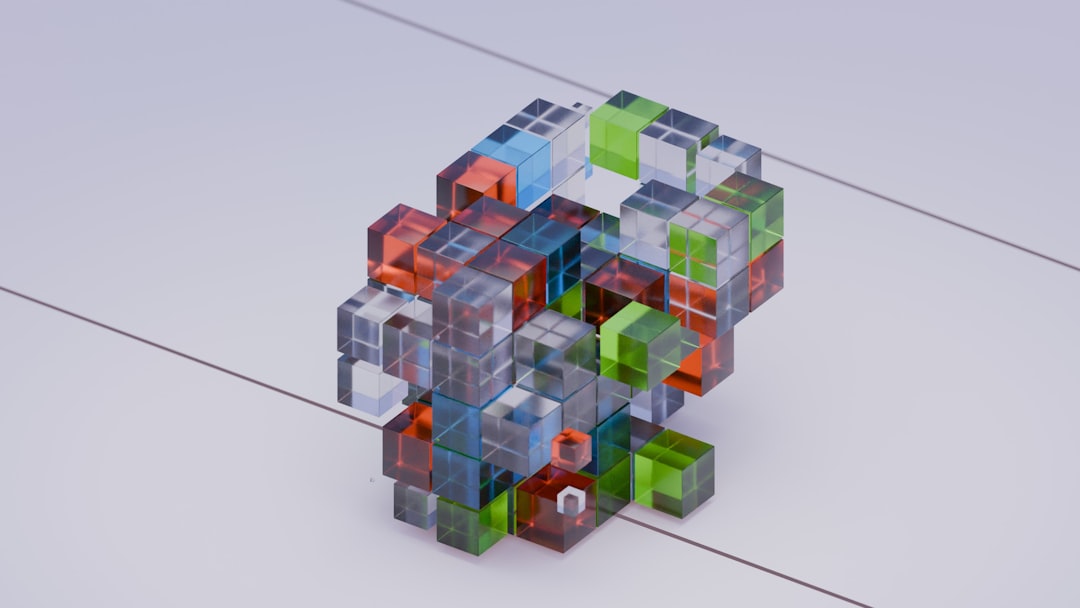
Blender is a widely respected, open-source 3D modelling platform known for its versatility and strong community support. While Blender itself is not exclusively AI-driven, its ecosystem of AI-powered add-ons has expanded rapidly. These tools enable designers to generate models from text prompts, accelerate retopology, automate UV mapping, and enhance rendering with AI denoising.
AI Assistance
Blender supports AI through plug-ins and integrations such as:
- Text-to-3D generation tools that create base meshes from written prompts.
- AI-powered texture creation, allowing fast material prototyping.
- Automated rigging and retopology add-ons to reduce manual technical work.
- AI denoising engines that dramatically improve render times.
These features are particularly useful for concept artists and indie developers who need to rapidly iterate design ideas.
Templates and Assets
Blender offers a range of built-in templates for:
- General modelling
- Sculpting
- Animation
- Video editing
- VFX
In addition, the Blender community provides thousands of pre-built models and scene templates. This significantly reduces the time required to set up environments, lighting rigs, and project frameworks.
Export Features
Blender supports an extensive list of export formats, including:
- OBJ
- FBX
- STL
- GLTF
- Alembic
This makes Blender compatible with game engines, 3D printing pipelines, AR/VR platforms, and traditional rendering systems.
Best suited for: Creative professionals, game developers, VFX artists, and startups seeking flexibility without licensing costs.
2. Autodesk Fusion
Autodesk Fusion (formerly Fusion 360) is a cloud-based 3D CAD, CAM, and CAE platform commonly used in product design and mechanical engineering. Unlike many modelling tools focused purely on scene creation, Fusion integrates AI-driven generative design and manufacturing simulation directly into its workflow.
AI Assistance
Fusion’s AI capabilities are centered around generative design. Designers input constraints such as materials, load conditions, and manufacturing methods, and the AI produces optimized geometry variations. This approach:
- Reduces material usage
- Improves structural performance
- Accelerates engineering cycles
- Uncovers innovative design shapes beyond human intuition
The system also integrates smart suggestions for parametric modelling and automated simulation feedback.
Templates and Preconfigured Workflows
Fusion offers templates tailored to:
- Machining operations
- Sheet metal design
- Electronics enclosures
- Injection molding workflows
These templates are especially valuable for manufacturing teams that need standardized processes. The cloud-based file management system further simplifies collaboration between departments.
Export Capabilities
Autodesk Fusion supports professional-grade export formats, including:
- STEP
- IGES
- STL
- DWG
- DXF
These formats are compatible with CNC machining, 3D printing, simulation software, and enterprise PLM systems.
Best suited for: Engineers, product designers, hardware startups, and manufacturing teams.
3. SketchUp with AI Extensions
SketchUp has long been a popular choice in architecture, interior design, and construction planning due to its intuitive interface. With the addition of AI-powered extensions and integrations, SketchUp has strengthened its position as a practical tool for quick conceptual modelling and client-ready presentations.
AI Assistance
SketchUp’s AI functionality typically comes from third-party plugins and cloud integrations. These include:
- AI rendering engines that generate photorealistic previews instantly.
- Automated floor plan generation tools.
- Smart object placement and scaling suggestions.
- AI visualization tools for client-ready concept imagery.
These features significantly improve presentation speed, especially for architectural proposals.
Templates and 3D Warehouse
One of SketchUp’s greatest advantages is its access to the 3D Warehouse, an extensive online repository of ready-made models. Users can download:
- Furniture
- Building components
- Landscaping assets
- Lighting fixtures
SketchUp also includes templates for architectural drafting, woodworking, urban planning, and interior layouts.
Export Options
Export capabilities vary by subscription tier, but typically include:
- SKP (native format)
- OBJ
- 3DS
- IFC (for BIM workflows)
- PNG and PDF for documentation
Its integration with BIM and construction management platforms makes it a reliable tool for architecture and real estate projects.
Best suited for: Architects, interior designers, real estate developers, and construction planners.
Comparison Chart
| Feature | Blender (with AI Add-ons) | Autodesk Fusion | SketchUp (with AI Extensions) |
|---|---|---|---|
| Primary Use | Creative content, animation, games | Engineering and manufacturing | Architecture and interior design |
| AI Capabilities | Text to 3D, AI textures, denoising | Generative design, simulation optimization | AI rendering, layout generation |
| Templates | Modelling, sculpting, VFX | Manufacturing and engineering workflows | Architectural and interior presets |
| Export Formats | OBJ, FBX, STL, GLTF | STEP, IGES, STL, DXF | OBJ, IFC, 3DS |
| Pricing Model | Free and open source | Subscription-based | Freemium with paid tiers |
| Best For | Indie creators and studios | Professional engineers | Architects and designers |
Key Factors to Consider When Choosing a Tool
When evaluating these platforms, decision-makers should consider the following:
- Industry Requirements: Engineering-grade precision differs significantly from conceptual 3D visualization.
- Collaboration Needs: Cloud-based tools offer better team synchronization.
- Learning Curve: Blender offers flexibility but requires time investment; SketchUp is more immediately intuitive.
- Integration: Ensure compatibility with manufacturing equipment, BIM software, or game engines.
- Budget Constraints: Open-source solutions reduce upfront costs, while subscription tools may provide enterprise-level reliability.
Final Thoughts
AI is not replacing 3D designers; it is augmenting their productivity and expanding creative possibilities. Tools like Blender, Autodesk Fusion, and SketchUp demonstrate how artificial intelligence, structured templates, and reliable export pipelines can coexist to serve diverse industries.
For creatives seeking flexibility and cost efficiency, Blender remains a powerful choice. For engineering precision and manufacturing readiness, Autodesk Fusion provides industry-grade reliability. For architectural visualization and fast client approvals, SketchUp offers simplicity combined with powerful asset libraries.
Ultimately, the right decision depends on your workflow priorities, technical demands, and long-term scalability. Carefully evaluating AI integration, template support, and export compatibility will ensure your 3D modelling environment not only keeps pace with innovation but actively drives it.



Leave a Reply